Automatic formatting
Applies the style guide, or your own format, to the whole document, from the title page to the references, without touching what you wrote.
- Margins
- Headings
- Title page
- Quotations
- References
- Page numbers
 DocPana
Upload your Word file and DocPana applies the style guide you were given: margins, font, line spacing, headings, title page, quotations, references and page numbers. Your content stays the same.
Free to start, no card needed.
No odd templates, no hours fiddling with margins. Your content stays the same; DocPana takes care of the format.
Pick your Word file on your phone. If it’s in Google Docs, save it as Word first.
APA 7, MLA, Chicago, ICONTEC and more, or the format you created. Turn on AI proofreading if you like.APA 7, MLA, Chicago, ICONTEC or your own format. Turn on AI if you like.
In Word or PDF, with a report of every change so you can hand it in with peace of mind.
Pick one and DocPana applies everything: page, font, line spacing, indents, headings, block quotations, references and page numbers.
The one ULA, UCV and most advisors ask for: 4/3/3/3 margins, Times New Roman 12, headings in capitals and the page number top right.
UPEL's current edition for digital work: 2.54 cm margins, Arial 12, sentence-case headings and the page number bottom right.
The 7th edition of the UPEL handbook (2024-2025): Arial 12, space between paragraphs, «SECCIÓN I» instead of chapters and the page number bottom right from the introduction.
The international standard, for journals and universities outside Venezuela: double spacing, 2.54 cm margins and left-aligned text.
Colombia's NTC 1486:2022 standard: 2 cm margins, single-spaced Arial 12, no indent, page number centered at the bottom and surnames in capitals in the bibliography.
For the health sciences: citations as numbers in parentheses, references numbered in the order they are cited and double spacing throughout.
For the humanities in the US: no title page, double spacing, «(Surname page)» citations and your surname next to every page number.
For history and the social sciences: «(Surname year, page)» citations, the year right after the author in the list and single-spaced references.
The style used by Spanish universities: surnames in capitals and the year after the author in the list, A4 paper and author-date citations.
For engineering and computer science: «[1]» citations, references numbered in the order they are cited and initials before the surname.
The British universities' style: author-date like APA, but with no full stop after the year («García, J. (2020) Title») and «Available at:» before the link.
Create your own format with the measurements you’re asked for and apply it just like a style guide.
See My formatAsked to change something in the style guide? Adjust every measurement before applying it.
Create it yourself. Set the margins, font, size, line spacing, indents, headings and page numbers you’re asked for, save it under a name, and DocPana applies it just like any style guide.
Applies the style guide, or your own format, to the whole document, from the title page to the references, without touching what you wrote.
Spelling, accents and wording, without changing your ideas. You see every change before you hand it in.
Touch up the text or the type of a paragraph before downloading, without leaving the app.
Convert both ways without spending credits and hand it in in whatever format you’re asked for.
Upload a title page, certificate or form and fill in only the details that change.
Your documents are kept for 90 days so you can download them again.
A sample paper as it came out of Word and as DocPana returns it with APA-UPEL 2016. Formatting only, no AI: the text is exactly the same.
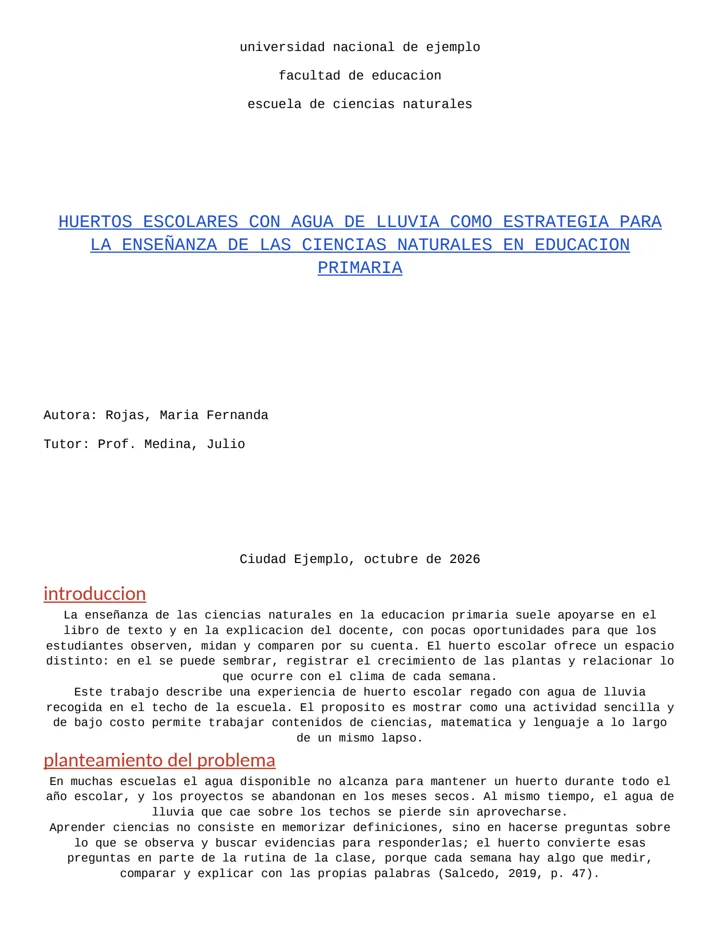
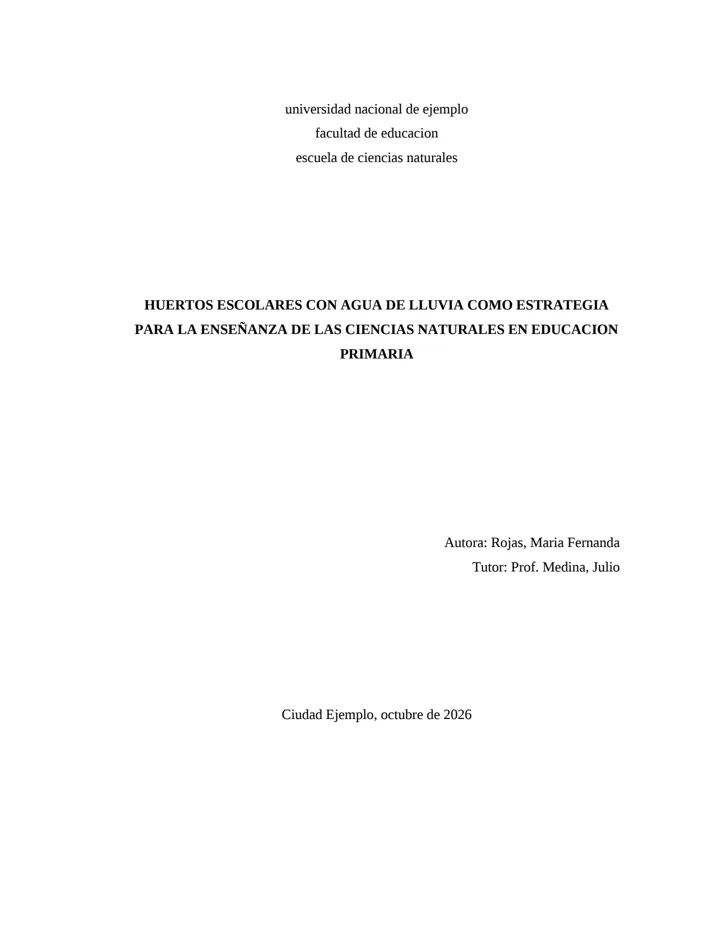
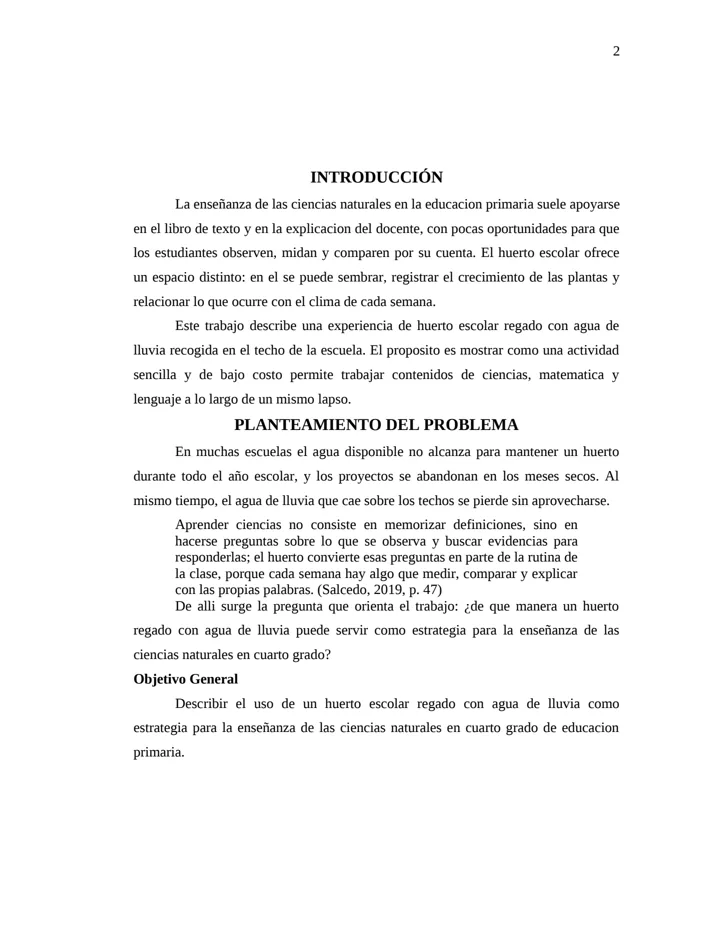
Images generated with DocPana from a made-up sample document.
This week’s assignment, with the title page and margins your professor wants.
Lab, internship or community service reports.
With their headings, block quotations and references in order.
The proposal and the project, with the page numbering the style guide requires.
In APA 7, Vancouver, IEEE, Chicago or the journal’s style.
Up to 200 pages on the Pro plan.
$0/month
$0/year
$3.99/month
$29.99/year
$7.99/month
$59.99/year
Prices in USD. Plans are chosen inside the app and billed through Google Play. See plan details
Yes. Your files travel encrypted (HTTPS) and only you can see them from your account. They’re kept in your history for 90 days so you can download them again, and you can delete them sooner whenever you want. Privacy Policy
No. AI proofreading is optional and off by default. If you turn it on, it checks spelling, accents and wording without changing what you say or your direct quotations, and shows you every change at the end. Your text is only sent to the AI service (DeepSeek) if you turn it on; the format is applied separately, without AI.
DocPana comes with 11 style guides (APA-UPEL (2016, 2022, and 2025 editions), APA 7, ICONTEC, Vancouver, MLA, Chicago, ISO 690, IEEE, and Harvard). If yours isn’t there, or your professor wants something different, you create «My format» with the margins, font, line spacing, headings and page numbers you’re asked for, save it under a name, and it’s applied just like any style guide.
No. The format is applied on our servers, so you need a connection to upload your document and download the result. Once downloaded, the Word file is yours and you can open it anywhere, offline too.
The Free plan doesn’t need cancelling. Paid plans are managed in Google Play, under Payments & subscriptions: you cancel there whenever you want and keep your plan until the end of the period you already paid for. And if you want to leave altogether, you can delete your account and your documents from the app. How to delete your account
It’s what you spend when you use DocPana. The app shows you what each action costs before you start.
Can’t find your answer? Write to us at [email protected]
Get DocPana and format your first document for free.