Spelling and accents
Typos and missing accents are fixed, so the paper reads clean.
Panita is DocPana’s AI assistant. When you format your Word file, if you turn it on, it reviews spelling, accents and wording without changing what you say, and shows you every change at the end.
Free with your account, on a computer or a phone.
Typos and missing accents are fixed, so the paper reads clean.
It fixes agreement and clumsy sentences without changing your ideas.
Direct quotations aren’t touched: what you copied from an author stays as it was.
At the end it shows you what it corrected, so you know what changed before handing it in.
It’s off by default. Turn it on when you want; formatting works the same without it.
It fixes the spelling of the text DocPana reads from your photos.
From the Android app or from your browser.
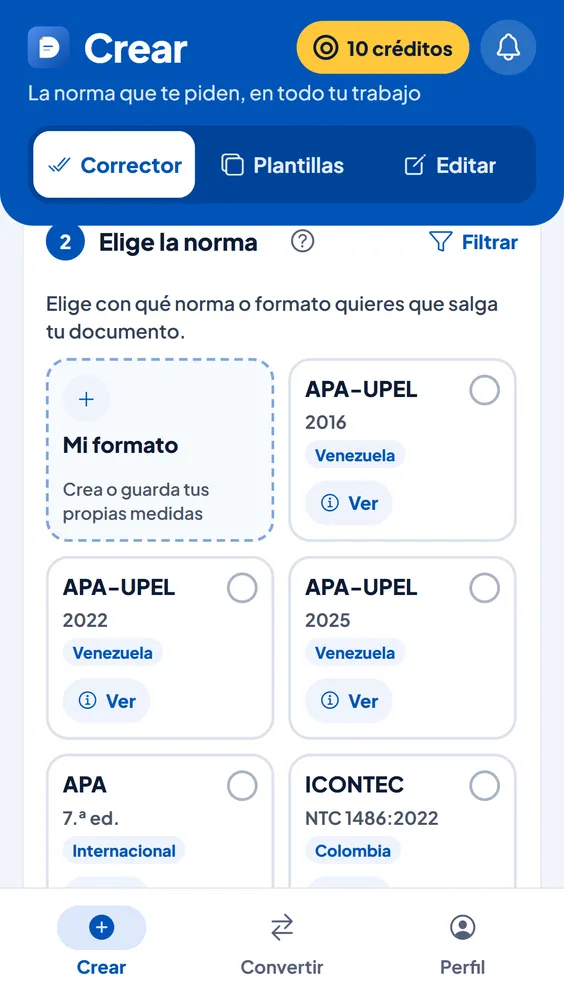
When you choose the style guide, switch on proofreading with Panita.
Download your paper and see each correction in the report.
| With Panita | 1 more credit per 15 pages, roughly (7,500 words), only for what gets proofread |
|---|---|
| Default | Off: you turn it on |
| Where | When formatting a Word file and in Scan |
No. It reviews spelling, accents and wording without changing what you say or your direct quotations, and shows you every change at the end.
Only if you turn on Panita is the text sent to our AI service to proofread it; the privacy policy says which one. Formatting is applied separately, without AI. Privacy policy
Yes. Panita is optional and off by default; formatting is applied the same way, with fixed rules.
Can’t find your answer? Write to us at soporte@docpana.com
Upload your Word file and DocPana applies the style you were asked for: margins, citations and references in minutes.