Effective date and last updated: October 20, 2026
Service provider: Juan Enrique García Cedeño (DocPana), Venezuela ("we").
Contact: legal@docpana.com · docpana.com
These terms govern your use of the DocPana app and the service behind it ("the service"). By creating an account or using the app you accept these terms and the Privacy Policy. If you don't agree, don't use the service.
1. What DocPana does
DocPana lets you:
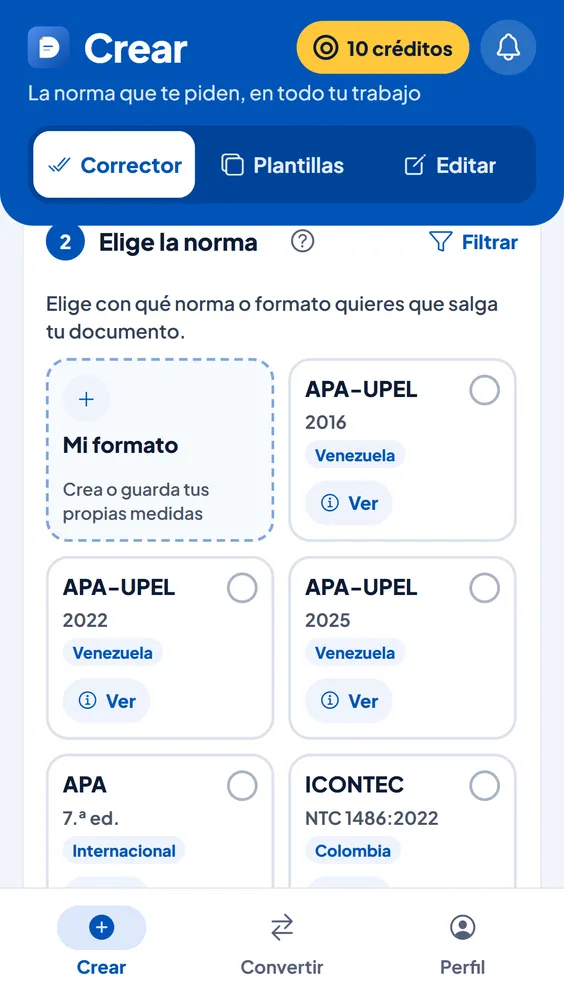
- Correct: give a Word document the format of the style guide you choose (APA-UPEL, APA 7, MLA, ICONTEC, Vancouver, Chicago, ISO 690, IEEE, Harvard) or of your own personal format and, if you turn it on, proofread its wording and spelling with artificial intelligence (in the app it is called Panita).
- Templates: save a Word file as a template, detect its fillable fields and generate filled-in documents.
- Convert documents between Word and PDF.
- Scan: turn photos of your pages (printed or handwritten) into a new text document laid out like the page, in Word or PDF; if you ask, with the writing fixed by Panita and a style guide's format.
- Convert without an account on the website, with a daily limit (section 3.2).
- Edit a Word or PDF file from your phone and export it with your style guide.
2. Your account
- To use DocPana you need an account, with your email and a password or with your Google account. The information you give us must be accurate.
- You must be at least 13 years old. If you are between 13 and the age of majority in your country, you need permission from your parent or guardian where your country's law requires it; whoever gives it accepts these terms on your behalf.
- We ask for your date of birth once, when you create your account or right after you sign in, and you must give your real one. With it we decide whether you can have an account and, if you are a minor, we treat it as the Privacy Policy explains (section 11): non-personalized ads and no third-party advertising tools such as Meta. If the date indicates an age under 13, the account is not created or is deleted. A parent or guardian can ask us to delete a minor's account by writing to privacidad@docpana.com.
- You're responsible for what's done with your account and for keeping your password safe. If you think someone got into it, sign out on all devices from Profile and write to us.
- You can delete your account at any time from Profile → Delete account or at https://docpana.com/en/eliminar-cuenta. When you delete it you lose your history, your templates and all the credits you had.
3. Credits and plans
3.1 What each action costs
Some actions spend credits. The app shows you the exact cost before you start:
| Action | Cost |
|---|---|
| Formatting a document (correcting without AI) | 1 credit per 15,000 words (about 30 pages), minimum 1 |
| AI proofreading (optional) | 1 more credit per 7,500 words proofread (about 15 pages), minimum 1 |
| Exporting from the editor | Same as formatting |
| Generating a document from a template | 1 credit |
| Scan (photos to Word or PDF) | 1 credit for every 5 photos or fewer. Costs the same in Word as in PDF |
| Fixing the scanned text with Panita (optional) | 1 more credit per document |
| Applying a style guide's format to the scan (optional) | 1 more credit per document |
| Analyzing a template and editing | Free, within your plan's daily limits |
| Converting between Word and PDF | Free and unlimited on every plan, the Free plan included (except for the anti-abuse limits in section 3.2) |
| Editing a Word file in the Word editor and saving it as Word or PDF (when your version offers it) | Free |
For example, a 30-page paper (15,000 words) costs 1 credit with formatting only, or 3 (1 + 2) if you also proofread it with AI. Scanning 12 photos costs 3 credits; with Panita and a style guide's format, which are optional, 5.
If an action fails on our side, your credits are refunded automatically; if the AI doesn't get to proofread, the AI part is refunded.
3.2 Plans
The Free plan is always available. The Basic and Pro plans are purchased through Google Play when purchases are available in your version of the app (section 3.3); if they are not available in your version, the app shows them for information and they cannot be purchased. They can also be assigned temporarily and free of charge, for example with a promo code or during a trial.
| Free | Basic | Pro | |
|---|---|---|---|
| Credits | 10 every Monday, which don't add up: every Monday the free balance goes back to 10. A new account gets them when it's created; with ads, at most 30 | 100 every month | 300 every month |
| Rewarded ads (from version 1.1.0) | Optional: 1 credit per ad watched to the end, up to 5 a day | No ads | No ads |
| Pages per document | 30 | 80 | 200 |
| Maximum spend per day | — | 30 credits | 60 credits |
| AI template analyses per day | 3 | 15 | 30 |
| Word ↔ PDF conversions per day | Unlimited (*) | Unlimited (*) | Unlimited (*) |
| Scan: photos per day (from version 1.1.1) | Up to 30 | Up to 100 | Up to 300 |
| Priority in the conversion and Scan queue | — | — | Yes: goes ahead of the other plans |
| “Other” in Convert: images, Excel, PowerPoint and merge, split or compress PDFs (when your version offers it) | — | — | Yes, without using credits |
- Free plan credits expire every Monday (Venezuela time): whatever is left of the week, including credits earned from ads, is gone and the balance goes back to 10.
- Basic and Pro credits are replenished every month and don't roll over: when a new month starts you have 100 or 300 again, not the sum.
- Credits you buy in a pack and credits you receive from a promo code or from our team don't expire and add to any plan. They're spent after the plan's credits.
- Credits are not money, can't be exchanged for money or transferred to another account, and can only be used within DocPana.
- Scan photos are counted per day (Venezuela time); if a scan fails on our side, its photos don't count.
- The Pro plan's priority only changes the waiting order when many conversions or scans happen at once; it doesn't make the work itself faster.
- (*) There are also anti-abuse limits, the same on every plan, that may temporarily pause an action: one conversion or scan at a time per account, the waiting queue, and a number of heavy operations per minute (and, in the editor and templates, per day). The app tells you when you can try again.
Without an account, on docpana.com you can convert between Word and PDF up to 3 times a day per connection, with files of up to 10 pages and 10 MB. It's a sample of the service: no-account conversions wait behind account ones, aren't kept in any history, and we may change or remove this access.
3.3 Ads and payments
Ads (Free plan, from version 1.1.0). You can earn credits by watching rewarded ads, only when you ask for one by tapping "Watch an ad": 1 credit for each ad you watch to the end, up to 5 a day and never above the maximum of 30 free credits. The credit is added by our server when Google confirms you watched the whole ad, which takes a few seconds; if you close the ad before it ends, there is no credit. The ads are served by Google AdMob and one isn't always available: we don't guarantee you'll be able to watch all 5 every day, and we may change these figures or remove ads (section 3.4). Earning these credits with automated programs, emulators, modified copies of the app or any method other than watching the ad yourself is not allowed; we may cancel credits obtained that way and suspend the account (section 6). What data Google processes when showing them is in the Privacy Policy (section 5).
Payments (when purchases are available in your version of the app). Purchases are made only through Google Play, with the payment method of your Google account; DocPana does not receive or store your card details. If the "Credits & plans" screen of your version has no purchase buttons, purchases are not available to you: the prices it shows are for information only and the rest of this section does not apply to you. The price is the one Google Play shows you before you confirm, in your currency and with any applicable taxes.
- Subscriptions (Basic and Pro, billed monthly or yearly). They renew automatically at the end of each period, at the price then in effect, until you cancel them. The plan's credits arrive every month, with yearly billing too. What each plan includes is in section 3.2.
- Cancellation. You can cancel at any time from Google Play (Payments & subscriptions → Subscriptions) or with "Manage subscription" in the app. You keep the plan until the end of the period you already paid for; after that your account moves to the Free plan and any unused plan credits expire. Uninstalling the app or deleting your DocPana account does not cancel the subscription: you have to cancel it in Google Play.
- Billing problems. If Google Play can't charge a renewal, you keep the plan during the grace period Google Play gives while it retries; if it still hasn't been charged when that ends, the subscription is put on hold and your account moves to the Free plan until the payment is sorted out.
- Changing plans. You can change plans from the app. Moving to a higher plan, or from monthly to yearly billing, is charged and applied right away; moving to a lower one is applied at the next renewal. When you change within a period you already paid for, the month's credits aren't replenished: you have the new plan's credits minus those you already spent that month.
- Credit pack. It's a one-time purchase, not a subscription. Its credits don't expire, add to any plan and are spent after the plan's credits. They don't raise the page limit per document.
- Pending payments. If you choose a payment method that is confirmed later (for example, cash), the plan or the credits are activated when Google Play confirms the payment.
- Refunds. They are handled by Google Play under its refund policy (https://support.google.com/googleplay/answer/2479637) and are requested from Google Play. If the law of your country gives you a right of withdrawal or to a refund, you keep it. When a purchase is refunded or voided, what it gave is withdrawn: the plan ends at that moment and, for a pack, the purchased credits you have left are removed, at most those that purchase gave.
- Price changes. If the price of a subscription changes, Google Play notifies you in advance and, where its policy requires it, asks you to accept; if you don't, the subscription is cancelled at the end of the paid period. A price change doesn't affect the period you already paid for.
- If you delete your account. Your balance and all your credits are deleted, purchased ones included; they aren't refunded and can't be moved to another account. Cancel your subscription in Google Play first so it doesn't keep charging you.
3.4 Changes to credits and plans
We may change what each action costs or what each plan includes. We'll tell you in the app before the change takes effect; credits you already have are honored.
4. Your documents
- They remain yours. We acquire no rights over your documents and templates. You only give us the permission needed to store them, process them and return them to you while providing the service (including sending text to the AI provider in the cases explained in the Privacy Policy).
- You're responsible for what you upload. You must have the right to use the documents and any personal data of other people they contain (for example, an employee's details in an employment certificate). Don't upload illegal content, content that infringes others' rights, or malware. The same goes for the photos you upload to Scan: don't photograph other people's documents without their permission.
- Keep your own copies. History documents are deleted after 90 days (or sooner, if you go over your history limit). DocPana is not a storage service: keep a copy of anything that matters to you.
5. AI and the result
- Formatting is applied by a program with fixed rules based on the style guide and settings you choose, and AI proofreading is an automatic aid. Both can make mistakes. Always review the document before submitting it: the change report shows you what was done.
- Academic style guides are interpreted differently by each institution and supervisor. We don't guarantee that your institution, supervisor or committee will accept the document. If they ask for something different, you can adjust it in your settings.
- In the app, the AI is called Panita. It runs on an external AI provider; the Privacy Policy explains which one, what text it receives and when. Panita fixes spelling and wording; it doesn't write your paper for you. Using it in line with your institution's academic integrity rules is your responsibility.
- Scan reads photos with AI and can make mistakes, especially with hard-to-read handwriting, blurry photos or heavily folded pages: a word may come out wrong or marked as [illegible]. Without Panita, the text is copied as it is on the page, mistakes included. Always check the document before using it or handing it in.
6. Acceptable use
You may not:
- use the service for anything illegal or to process other people's data without the right to do so;
- try to access other people's accounts or data, get around usage or credit limits (for example, by mass-creating accounts to collect more free credits), or attack, overload or probe the service for vulnerabilities without our permission;
- copy, resell or exploit the service, or use it in an automated way outside the app, without our permission.
If you breach these terms we may suspend or close your account. Unless it's serious or urgent, we'll warn you first and explain why.
7. Availability and changes to the service
We do our best to keep DocPana running, but there may be interruptions for maintenance, failures or causes beyond our control (for example, the AI provider not responding; in that case the document comes out formatted without proofreading and the AI part is refunded). We may change, add or remove features. If we stop providing the service, we'll give you at least 30 days' notice so you can download your documents.
8. Intellectual property
The app, its code, design, name and logo belong to us or our licensors. We give you permission to use the app on your devices under these terms; that permission ends if you delete your account or we close it. Academic style guides belong to their authors; DocPana applies their formatting rules and doesn't reproduce their manuals.
9. Liability
The service is provided "as is". To the extent permitted by law, we're not liable for indirect damages (such as a grade, a late submission or the loss of a document you didn't keep a copy of), and our total liability to you is limited to what you paid us in the 12 months before the event. Nothing here limits rights the law gives you that can't be excluded.
10. Changes to these terms
If we change these terms we'll tell you in the app or by email before they take effect. If you keep using DocPana afterwards, you accept the new terms; if you don't agree, you can delete your account.
11. Governing law
These terms are governed by the laws of the Bolivarian Republic of Venezuela, and any dispute will be submitted to the courts of Caracas, without prejudice to the rights the law of your country of residence gives you.
12. Contact
Juan Enrique García Cedeño
Venezuela
About these terms: legal@docpana.com
Help with the app: soporte@docpana.com
To report misuse of the service: abuse@docpana.com
13. Trademarks and legal notices
DocPana is not affiliated with or endorsed by the American Psychological Association (APA), the Universidad Pedagógica Experimental Libertador (UPEL), ICONTEC or any of the organizations that publish the academic styles the app applies (including the Modern Language Association, the University of Chicago Press, the ICMJE, ISO and the IEEE). The names of the style guides are used only to indicate the format the app applies.
Google Play and the Google Play logo are trademarks of Google LLC. Word is a trademark of Microsoft Corporation. All other trademarks mentioned belong to their owners.