Page and text
Paper size, margins, font, size, line spacing, alignment, indents and paragraph spacing, as the style guide says.
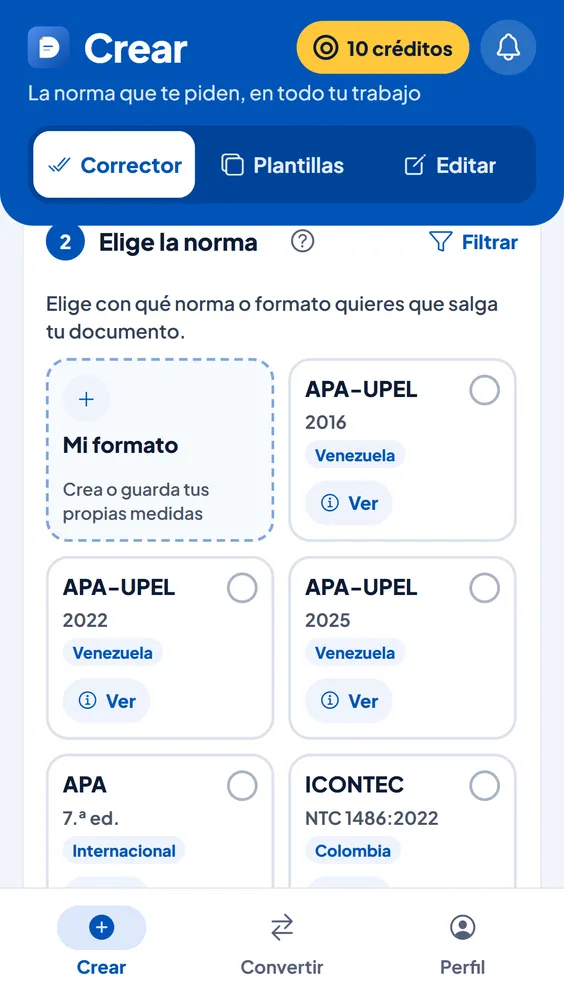
Upload your Word file, pick one of the 11 style guides or your own format, and DocPana applies it to the whole document: margins, font, line spacing, indents, headings, block quotations, page numbers and references. What you wrote stays the same.
Free with your account, on a computer or a phone.
Paper size, margins, font, size, line spacing, alignment, indents and paragraph spacing, as the style guide says.
It recognizes chapters, headings and subheadings, and gives each level its format: centered, bold, capitals or whatever the guide asks for.
When the style guide has a title page, it gets its own page, centered, and the text starts on the next one.
Long quotations go in their own paragraph, with the indent and spacing of the style guide.
Where the style guide wants them, with Roman numerals in the front matter if the guide uses them.
The list gets its indent and its section name (“References”, “Works Cited”, “Bibliography”…), and alphabetical order when the guide asks for it.
At the end it tells you what changed and what to check by hand, so you can hand it in with peace of mind.
If your university or professor wants something different, create “My format” with their measurements and apply it like any style guide.
From the Android app or from your browser. If it’s in Google Docs, download it as Word (.docx) first.
APA 7, MLA, Chicago, Harvard, IEEE, Vancouver, ISO 690, ICONTEC, APA-UPEL or your own format. Turn on Panita if you like.
In Word or PDF, with a report of what changed. It stays in your history for 90 days.
| Formatting | 1 credit per 30 pages, roughly (15,000 words) |
|---|---|
| With Panita (optional) | 1 more credit per 15 pages, roughly (7,500 words), only for what gets proofread |
| Free plan | 10 credits every Monday and papers up to 30 pages |
| Basic plan | 100 credits a month and papers up to 80 pages |
| Pro plan | 300 credits a month and theses up to 200 pages |
| Files | In: a Word file (.docx); out: Word or PDF |
11 style guides: APA-UPEL (2016, 2022, and 2025 editions), APA 7, ICONTEC, Vancouver, MLA, Chicago, ISO 690, IEEE, and Harvard. If yours isn’t there, you create “My format” with the measurements you’re asked for.
No. Formatting is applied with fixed rules, without AI, and your text stays the same. Only if you turn on Panita are spelling and wording reviewed, and you see every change at the end.
No. In-text citations stay as you wrote them, because turning “(García, 2020)” into “[1]” requires knowing which reference each one points to. If they don’t match the chosen style, the report tells you.
It doesn’t generate one. If your paper already has a table of contents, it’s kept in place.
Yes, if you download it as Word first: in Google Docs, File → Download → Microsoft Word (.docx).
Can’t find your answer? Write to us at soporte@docpana.com

Upload your Word file and DocPana applies the style you were asked for: margins, citations and references in minutes.